Table of Contents
Introduction- What is Mobile App Testing?
- Why mobile app testing matters
- 5 Key Steps for Effective Mobile App Testing
- 1. Test Core Functions
- 2. Check Device Compatibility
- 3. Test App Security
- 4. Check App Performance
- 5. Test Weak Networks
- Top 5 Best Practices for Mobile App Testing
- 1. Test on Real Devices
- 2. Manual and Automated Testing
- 3. Test High-Risk Areas
- 4. Involve QA Early
- 5. Keep Testing After Launch
- Conclusion

Testing is an important part of the mobile app development process. Before testing begins, you need a clear plan for your app’s features, user flows, and requirements. If you’re still in the planning stage, learn how to plan a mobile app from scratch before development begins.
An app that works well on one phone may not perform the same way on another. Different operating systems, screen sizes, network conditions, and user behavior can all affect performance.
Mobile app development testing helps identify these issues before they reach users, reducing costly post-launch fixes and improving the overall app experience. Let’s look at why testing matters and the best practices to follow.
What is Mobile App Testing?
Mobile app testing is the process of checking how an application works under different conditions. Today, testing is not just about finding bugs. It helps to examine the app’s features, security, performance, and overall reliability.
It checks how the application behaves when users perform unexpected actions. The main goal of testing is to identify and resolve bugs and errors before they affect users.
Why mobile app testing matters
According to studies, users have zero patience and abandon an app after just one bad experience; they simply delete the app and switch to a competitor.
For example, if an app suddenly closes during an important task, the user becomes frustrated and stops using it.
Testing identifies these issues early, improving reliability, reducing technical issues, and increasing user confidence. It can also protect an app’s reputation because users are more likely to keep an application that works smoothly. It also reduces the cost of fixing problems by discovering issues before release.
5 Key Steps for Effective Mobile App Testing
Here are five key steps to ensure effective mobile app testing.
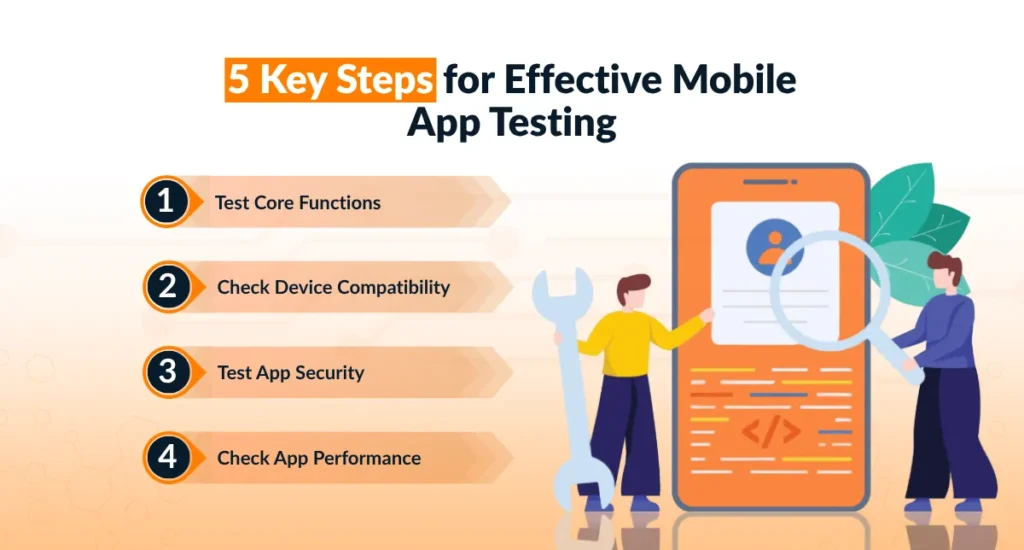
1. Test Core Functions
Functional testing examines whether the app’s important functions work properly. A good testing process not only asks, “Does this feature work?” but also asks, “What happens if the user enters wrong information or performs unexpected actions?”
For example, a tester may check that forms accept the correct information, accounts work as expected, and the app produces the right results.
2. Check Device Compatibility
Mobile apps must work across a wide range of devices, screen sizes, hardware capabilities, and operating systems. Mobile applications behave differently on different devices and platforms.
An app that runs flawlessly on the latest iPhone might behave completely differently on a three-year-old Android device. For this reason, compatibility testing is important; testers must test an app on a suitable range of devices and operating systems.
3. Test App Security
Testing isn’t just about functionality; it’s about protecting the people who trust you with their information. Mobile apps handle sensitive data, passwords, payment details, location, and personal messages. A single security flaw can lead to a data breach and loss of user trust.
Security testing helps identify vulnerabilities that could expose sensitive information by checking authentication, permissions, data storage, and communication between the app and its servers.
4. Check App Performance
Performance testing identifies how apps behave under different workloads and circumstances. It is also useful to test app behavior when multiple operations are performed close together. Slow loading, delayed actions, and excessive battery consumption can negatively affect user experience.
5. Test Weak Networks
Not every user has fast, stable Wi-Fi. Test your app under 3G speeds, spotty connections, and even offline mode to see how it behaves. Check whether it shows a helpful error message or simply freezes. The goal is to make sure the app handles network interruptions without losing important information.
Top 5 Best Practices for Mobile App Testing
Below are five best practices we can discuss here.
1. Test on Real Devices
Emulators are software tools and are useful for quick checks, but they can’t fully replicate real-world conditions like battery drain, network switching, and background app behavior. Testing on actual physical devices across different brands, screen sizes, and OS versions gives you a more accurate picture of how your app will perform for real users.
Real users may interact with features in unexpected ways. A small group of representative users can test important features and provide practical feedback. Their feedback can help improve your app’s usability.
2. Manual and Automated Testing
Automated tests are great for repetitive checks like login flows or regression testing after updates. But manual testing is essential for catching usability issues and edge cases that require a closer look. Using both approaches makes the testing process more effective.
3. Test High-Risk Areas
Focus your deepest testing efforts on the flows that matter most, such as payment processing, user authentication, and data syncing. Not every part of your app carries equal weight.
When a failure could seriously affect user trust or revenue, a risk-based approach ensures the highest-impact areas get the most attention.
4. Involve QA Early
Bringing QA into the process early, while reviewing requirements, wireframes, and user stories, helps catch potential issues before development begins. Testing shouldn’t happen only after development is complete.
5. Keep Testing After Launch
Testing doesn’t end once your app goes live. After launch, development teams should pay attention to monitor crash reports, user reviews, and in-app analytics continuously to catch new issues as they emerge. Regular testing and updates can help maintain the application’s quality as it evolves.
Conclusion
Mobile app testing is an important part of building a reliable and user-friendly app. It helps identify issues with functionality, security, performance, compatibility, and network connectivity before they affect users.
From testing core features and real devices to using manual and automated testing, a strong mobile app testing process helps improve app quality and user experience. If you’re working with a trusted mobile app development company, thorough testing can also help ensure your app is ready to perform reliably in the real world.